Free
Play keyboard games from the couch
Games that expect a keyboard and mouse become controller games — sticks move and aim, buttons press keys.
Nebula makes your PlayStation, Xbox or Switch controller work in any game — even the ones made for keyboard and mouse. Pick a button, choose what it does, and play. No tech skills needed.
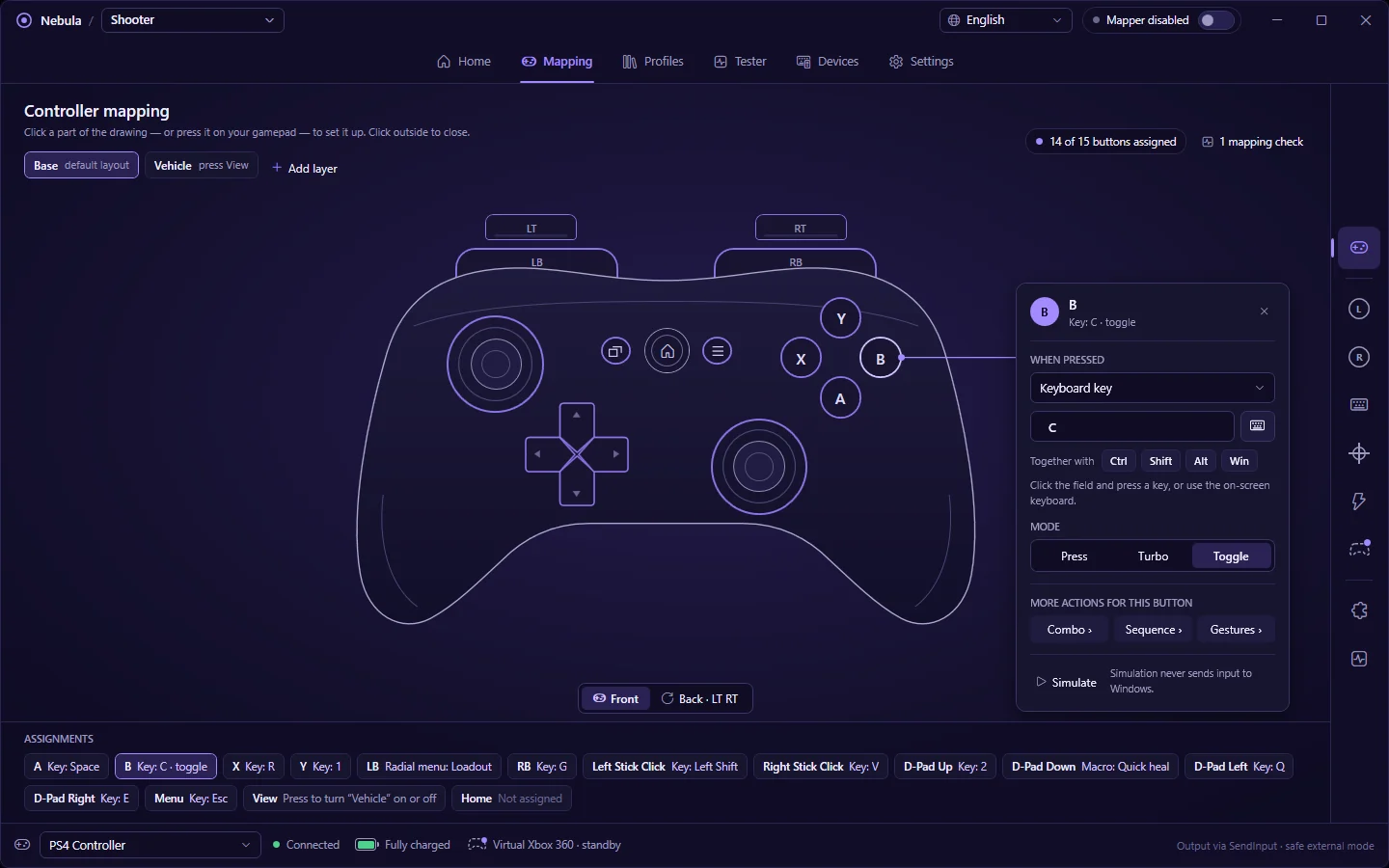
Wired or wireless — Nebula recognises it straight away and shows its battery.
Jump, reload, aim, open the map — any key or mouse click the game needs.
A→SpacejumpLink your setup to a game and it switches on by itself whenever that game is open.
Games that expect a keyboard and mouse become controller games — sticks move and aim, buttons press keys.
A game only accepts Xbox controllers? Nebula makes your PlayStation or Switch controller look like one.
Tilt and turn a PlayStation or Switch controller for precise, natural aiming — like on a console.
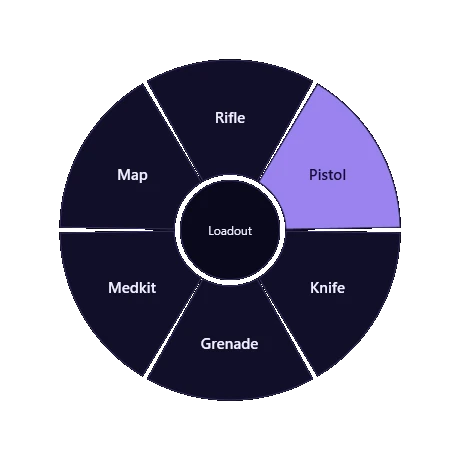
Hold a button and a wheel appears over your game — point at a weapon, emote or item and let go.
Build a sequence of presses and play it from a single button. Rapid-fire and hold-for-me too.
No controller? Play games that only accept one with your keyboard and mouse instead.
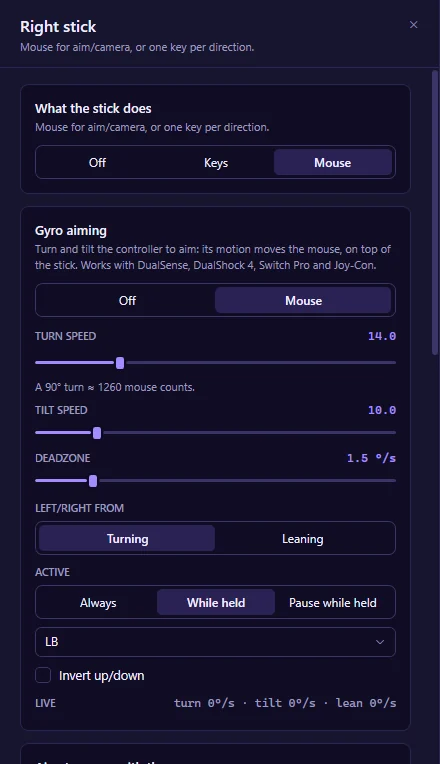
Thumbsticks are great for turning, not for the last few pixels. With gyro aiming, small movements of your controller fine-tune your aim — the way Switch and PlayStation players already love.
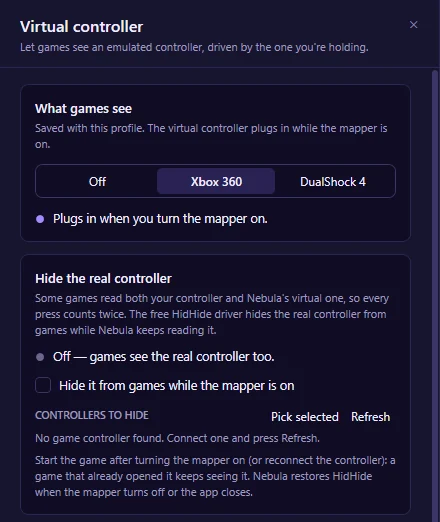
Some games only talk to Xbox controllers, some only to PlayStation ones. Nebula creates the one the game wants and drives it with the controller in your hands — vibration included.
Games with a hundred keys don't fit on sixteen buttons. Put a whole menu of actions on one button, add layers that change what every button does, or add an on-screen crosshair.
No add-ons and no "lifetime" pack that stops covering new features. If we build it, Pro has it.
Two clicks from your account page. Pro keeps working until the end of what you paid for.
We tell you plainly where remapping can get you in trouble. Read it before you play online.
Nebula is a small, ordinary app. Unzip, run, play — and remove it just as easily.
Everything you need to play a game with a controller.
Billed monthly after your free week. Cancel anytime.
One subscription covers 2 PCs. Prices in USD; tax is added at checkout where it applies. 14-day money-back guarantee.
No. You click a button on a picture of your controller and choose what it should do. Ready-made setups get you started, and a tester shows every press so you can see it working.
Almost certainly: PlayStation 5 and 4, every Xbox controller, Nintendo Switch Pro and Joy-Con, 8BitDo and most other gamepads. See the full list
In single-player and most casual games, no. Some competitive online games don't allow remapping tools, macros or rapid-fire. Here's what to know before you play online.
Free covers everyday remapping, the virtual Xbox / PlayStation controller and a setup for each game. Pro adds gyro aiming, radial menus, layers, combos, rapid-fire, the crosshair and keyboard-and-mouse tricks. Try Pro free for 7 days.
Nebula keeps working as the free version. Your Pro settings stay saved and come back the moment you return.
Free to download, no account needed. Try Pro free for 7 days whenever you like.